


Is the 15-inch Premium GMC Infotainment System on the 2026 GMC Terrain Easy to Use around La Verne, CA?
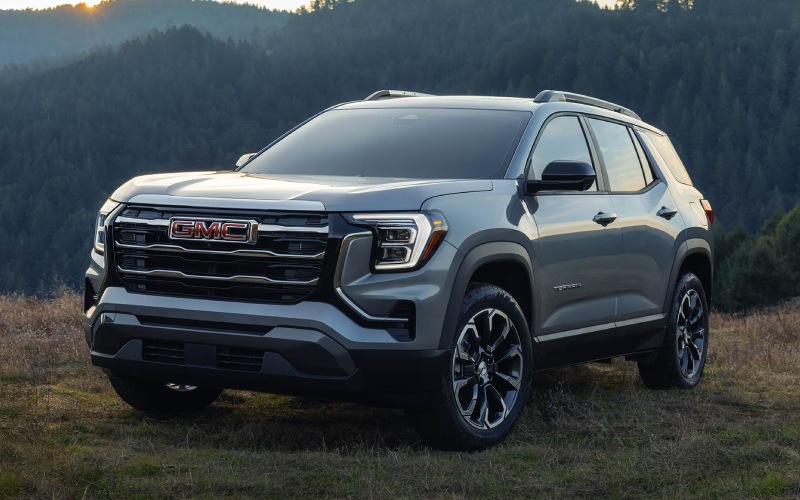
Reynolds GMC – Is the 15″ Premium GMC Infotainment System on the 2026 GMC Terrain Easy to Use around La Verne, CA?
The 15″ diagonal Premium GMC Infotainment System sets the tone for the 2026 GMC Terrain cabin, and many shoppers want to know how it performs in daily use on familiar routes around La Verne, CA. Interface design matters — it shapes how quickly you can glance, tap, and return eyes to the road — so it is worth digging into how this large-format screen supports real-world driving.
First impressions are strong. The screen’s size and resolution make key tiles legible at a glance, which reduces tapping and hunting. Menus are logically grouped, with navigation, media, and phone access placed where your hand naturally rests. Terrain pairs this clarity with physical controls for frequently used functions, creating a hybrid control scheme that keeps muscle memory intact. Add the 11″ diagonal Driver Information Center, and the essential data — speed, directions, safety alerts — surfaces in your line of sight without clutter.
For day-to-day errands and commutes, this layout is more than visual polish; it is time saved. When traffic stacks up, being able to quickly adjust audio, view an upcoming turn, or fine-tune driver assistance settings without diving into layers is a tangible benefit. The connectivity experience is also clean — pairing is fast and stable, while the available wireless smartphone charging pad cuts cord clutter to keep your console open for keys and essentials.
When evaluating the system in person, consider a simple flow: launch maps, switch to a podcast, reply via voice, and return to your route overview. Watch for how the interface anticipates your next move with large, touch-friendly targets and minimal scrolling. If you regularly park in tight structures or on busy streets, ask to test available High Definition Surround Vision and the available Rear Camera Mirror alongside the infotainment system. The combination underscores how Terrain integrates screens and cameras to support parking, lane changes, and low-speed maneuvering.
For families or anyone hauling gear, the interface also complements smart hardware like the available AutoSense liftgate. Save a destination in the system, pop the liftgate with a simple gesture, and load without breaking stride. Inside, durable materials — including available CoreTec™ seating — match the tech-forward approach, making cleanup quick after soccer practice or trail runs while keeping the cabin looking sharp.
If you are cross-shopping compact SUVs, bring your everyday phone and a typical drive plan. A five-minute demonstration tells part of the story; a 15-minute loop with a few quick tasks tells the rest. When the system is easy, the rest of the drive feels calmer and more controlled, especially in congested areas or when juggling multiple tasks. That harmony between interface and road is where the 2026 GMC Terrain quietly excels.
To make the most of a test drive, align your checklist with the infotainment workflow you use most. The following points help structure your time in the driver’s seat without feeling rushed.
- Navigation test: Enter a recent destination, preview alternate routes, and follow an upcoming turn prompt to gauge clarity.
- Media control: Switch between streaming, radio, and a playlist while adjusting volume via both touchscreen and physical controls.
- Phone calls and voice: Place a hands-free call, send a dictated message, and verify contact list readability.
- Driver display synergy: Configure the 11″ diagonal Driver Information Center to show trip data and turn prompts, then check legibility in bright sun.
- Camera pairing: If available, toggle High Definition Surround Vision and the Rear Camera Mirror while maneuvering into a tight space.
The right dealership support helps this evaluation feel natural. At Reynolds GMC, our product specialists will pre-set a route that includes a mix of streets and parking scenarios and can tailor a demo to the apps and features you use most. With a setup that respects your routine, you can focus on how the system fits your habits rather than learning a new way to drive — an important distinction for in-market shoppers aiming to make a confident decision, serving Chino, Chino Hills, and La Verne.
Frequently Asked Questions:
Does the 15″ diagonal Premium GMC Infotainment System feel overwhelming?
No — the layout is clean and task-focused, with large tiles and a short learning curve. Physical controls supplement the most-used functions so you are not locked into touchscreen-only inputs.
How does the infotainment system work with Terrain’s safety and camera tech?
It presents camera views crisply and integrates alerts with the 11″ diagonal Driver Information Center, keeping essential info in your sightline without overloading the main screen.
Will the screen wash out in direct sunlight?
The display is engineered for clarity and contrast, maintaining legibility during bright daytime driving. We recommend checking it at midday to see how it performs on your typical routes.
Is wireless smartphone charging reliable during longer drives?
Yes — the available pad provides steady charging during commutes and road trips while freeing the console of cables and clutter.
0 comment(s) so far on Is the 15-inch Premium GMC Infotainment System on the 2026 GMC Terrain Easy to Use around La Verne, CA?